
Samsung TV Plus - TV & Movies
Samsung Electronics Co., Ltd.Entertainment
3.82.62K Reviews
- Version
- Varies With Device
- Installs
- 100.00M
- Age Rating
- Teen
Screenshots


Our Review of Samsung TV Plus - TV & Movies
 Analysis by Appyee
I think the most useful way to judge Samsung TV Plus is not as a replacement for every streaming service, but as a different kind of viewing option: a place to turn on live television when you want something to watch without planning a whole evening around a title. That distinction matters. If you like browsing channels and stumbling onto a program, it can make an easy, low-commitment addition to your routine. If you want a specific film, a complete series, or a carefully managed watchlist, you may be happier elsewhere.
Start with how you like to watch
Before installing another entertainment app, I’d ask myself one simple question: do I usually choose something specific, or do I prefer to browse until something catches my eye? Samsung TV Plus suits the second habit. Its mix of live channels and on-demand viewing gives you both a schedule to dip into and programs to explore, but the live-TV feel is central to the experience.
That makes it handy for the moments when choosing is more work than watching. I can imagine putting it on while cooking, having it in the background during a quiet afternoon, or letting someone else in the household take over the remote without needing to agree on one particular show first. It is less compelling when I already know exactly what I want and expect a service to take me straight to it.
What the free format changes
The absence of a subscription is more than a price advantage: it changes how I’d use the app. I wouldn’t feel the need to make every viewing session count or keep it installed just because I’m paying for it. It can sit alongside paid services as a casual option, and it is easy to try when I want background entertainment rather than a new series to follow closely.
There is a trade-off, though. Free viewing is not the same as an uninterrupted, hand-picked library. Live channels follow their own schedules, and the program you happen to want may not be available at the moment you open the app. I’d treat the service as a way to discover or casually watch something, not as my only source for a particular show or film.
How it compares with other ways to stream
Compared with subscription platforms built around choosing a title on demand, this app asks for a little more patience and curiosity. Those services are usually the better fit when I want to continue a series from a particular episode, search for a specific movie, or build an evening around a planned watch. Samsung TV Plus is more appealing when I want to browse live programming and let the schedule make some of the decisions.
It also sits apart from paid live-TV packages. If your priority is a particular set of channels or a dependable way to follow a specific program, check that the service actually meets that need before relying on it. The large overall selection is a reason to explore, not a promise that every viewer will find every channel they expect. For an easygoing viewer, though, channel variety can be part of the fun.
A practical way to work it into your day
One realistic routine is to open the guide while making breakfast, scan what is on and choose a channel before starting the rest of the morning. That is a different workflow from searching through rows of recommendations, and it can save decision time when you are happy to watch whatever suits the moment. If something interesting appears, you can settle in; if not, moving on to another option is simple.
I’d also use the service as a first stop before paying for another subscription just to fill occasional viewing gaps. Try it during the kinds of sessions where you normally leave a television on in the background. If it becomes a regular source of enjoyable viewing, it has earned a place in your routine. If you repeatedly open it with a specific title in mind and leave disappointed, that is a sign to use an on-demand service for that purpose instead.
Who is likely to enjoy it—and who may not
Samsung TV Plus makes the most sense for Samsung device owners who enjoy browsing, want a no-cost option for casual viewing, or share a screen with people who do not always agree on what to watch. It can also suit someone who is trying to keep entertainment spending down but still wants another source of programs to dip into. Samsung Electronics Co., Ltd. develops the app, and its focus on Samsung devices is an important practical part of the decision.
I would be less likely to recommend it as a primary service to someone who watches television only through carefully chosen films and series, needs a particular program at a particular time, or expects a consistent catalog across different device brands. In those cases, a dedicated on-demand app or a live-TV option matched to specific channel needs is a better starting point. The right choice depends less on the headline number of channels than on whether the available viewing style fits your habits.
What to check before making it a habit
Samsung TV Plus is free, but it still asks for some of your time and attention. A channel guide can make browsing faster, yet it can also encourage the familiar “just one more channel” loop. I find that setting a small intention helps: open it for background viewing, a short break, or a quick scan of what is airing, rather than expecting it to solve every entertainment need.
It is also worth checking the experience on the device you actually plan to use. Samsung ownership is the clearest fit, while access can be less straightforward outside that ecosystem. If you mainly watch on a television, use the guide as your starting point; if you prefer a phone or tablet, consider whether browsing and watching on that screen feels comfortable for the length of time you normally spend viewing.
The app is rated for teens, and its average rating is 3.8 from around 26,000 ratings, with about 2,600 written reviews. It has passed 100 million installs, which shows that it has reached a broad audience, though popularity alone cannot tell you whether its channel-led style is right for you. It is free to use, and its release date was September 22, 2020; I’d still judge it by how well it fits your current devices and viewing habits.
If you are weighing up the first attempt, the practical question is whether you can start watching without a complicated setup and whether the guide gives you enough appealing choices to return. The no-subscription approach makes trying it a low-stakes decision. Keep it as a companion for casual viewing if it earns its place; do not force it into the role of a complete replacement for services built around specific titles.
If you're on the hunt for a way to catch up on TV shows and movies without the hassle of signing up for yet another streaming service, let me introduce you to Samsung TV Plus. This app has been making waves in the streaming world, and for good reason. Let’s dive into what makes this app a standout choice for TV and movie enthusiasts.
All About Samsung TV Plus
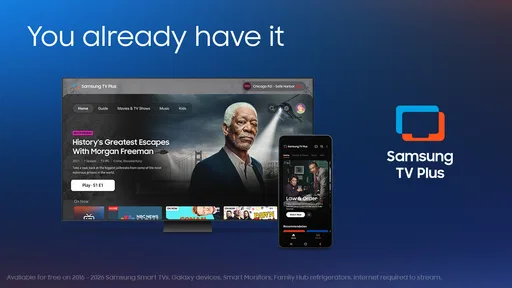
First off, Samsung TV Plus is a free streaming service that offers a wide variety of content. If you own a Samsung device, you're in for a treat because this app comes pre-installed on newer models, making it incredibly easy to access. No need for additional downloads or sign-ups—just pure, guilt-free streaming.
Diverse Channel Selection
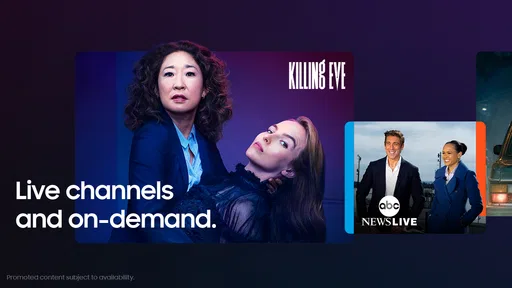
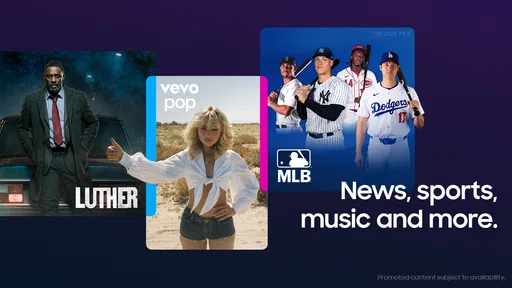
One of the coolest things about Samsung TV Plus is its range of channels. We're talking everything from news, sports, and entertainment to niche interests like cooking and travel. Whether you're a sports junkie or a reality TV aficionado, there's something here for everyone.
The app offers over 100 channels in the US alone, which is quite impressive for a free service. The best part? These channels are all live, so you can keep up with your favorite shows as they air.
User Experience
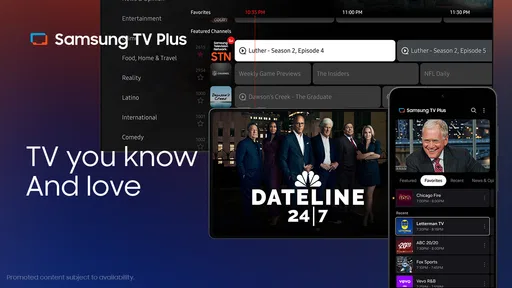
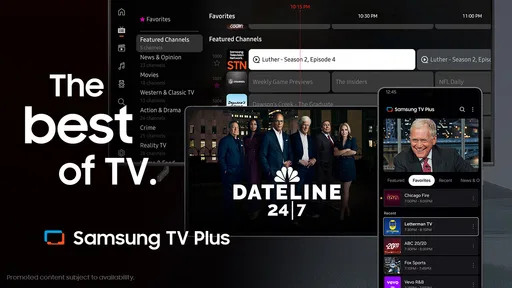
The interface is sleek and intuitive—exactly what you'd expect from Samsung. Navigating through the channels is a breeze, and the app is designed to help you find what you want to watch quickly. It's as simple as flipping through channels on a traditional TV, which is a refreshing change from the often overwhelming interfaces of other streaming platforms.
Plus, the app includes a handy guide feature, allowing you to see what's currently airing and what's coming up next. This makes it super easy to plan your viewing schedule.
No Strings Attached
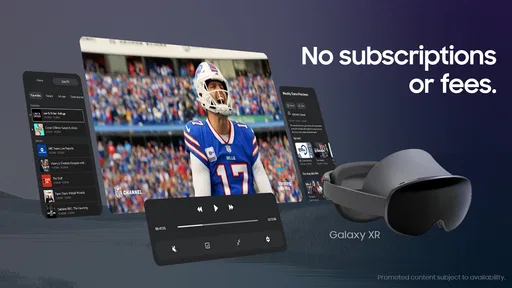
Here's the kicker: Samsung TV Plus is completely free. You heard me right—no subscriptions, no hidden fees, just free content. This is a game-changer for anyone trying to cut down on their monthly streaming service bills.
Since there's no account to set up, you can dive right in and start watching. It's the perfect solution for those spontaneous TV cravings or when you want to discover something new without committing to a subscription.
Content Variety
While the channel selection is impressive, it's worth noting that the on-demand library is not as extensive as you'd find on paid services like Netflix or Hulu. However, the live TV aspect more than makes up for it, especially if you enjoy flipping through channels to see what's on.
The content is regularly updated, so there's always something new to check out. Also, keep an eye out for exclusive content that you might not find elsewhere.
Compatibility and Accessibility
As expected, Samsung TV Plus is optimized for Samsung devices. If you own a Samsung Smart TV, smartphone, or tablet, you're all set. Unfortunately, if you’re using a different brand, you might not be able to access the app, which is a bit of a bummer.
On the flip side, for those in the Samsung ecosystem, the seamless integration across devices is a huge plus. You can start watching on your TV and pick up right where you left off on your phone.
Final Thoughts
All in all, Samsung TV Plus is a fantastic option for anyone looking to enjoy a variety of live TV channels without the financial commitment. It's a breath of fresh air in a market saturated with subscription-based services. If you’re a Samsung user, this app is a no-brainer.
With its wide range of content, user-friendly interface, and zero-cost entry, Samsung TV Plus is definitely worth checking out. So, pop some popcorn, get comfy, and start exploring all the free content waiting for you. Happy streaming!
Verdict
Strengths of Samsung TV Plus - TV & Movies
- Extensive selection of free channels.
- User-friendly interface and navigation.
- High-quality streaming and minimal buffering.
- No account or login required.
- Regular updates with new content.
Limitations of Samsung TV Plus - TV & Movies
- Limited availability based on location.
- Ads can interrupt viewing experience.
- No offline viewing option available.
- Lacks customization features.
- Some channels are region-specific.
Other Releases by Samsung Electronics Co., Ltd.
View All
Samsung Calendar
Productivity4.1

Samsung Browser
Communication3.6

Samsung Music
Music & Audio3.8

SmartThings
Lifestyle4.6
Similar Picks in This Category
View All
Google Play Games
Google LLC3.9

Netflix
Netflix, Inc.4.8

YouTube Kids
Google LLC4.2

Disney+
Disney4.4

Prime Video
Amazon Mobile LLC4.7

Steam
Valve Corporation3.2
Frequently Asked Questions
What is Samsung TV Plus and how does it work?
Samsung TV Plus is a free streaming service available on Samsung smart TVs and select Galaxy devices. It offers a wide range of live TV channels and on-demand movies without any subscription or additional hardware. Simply connect your device to the internet, and you’ll have instant access to various genres like news, sports, and entertainment.
Is there a cost associated with using Samsung TV Plus?
No, Samsung TV Plus is completely free to use. There are no subscription fees or hidden charges involved. The app generates revenue through advertisements, allowing users to enjoy a wide selection of TV channels and movies without any financial commitment.
Do I need a Samsung account to access Samsung TV Plus?
No, a Samsung account is not required to access Samsung TV Plus. You can enjoy all the available content without signing in. However, having a Samsung account may offer additional features and a more personalized experience, such as syncing your watchlist across devices.
Can I use Samsung TV Plus on devices other than Samsung TVs?
Samsung TV Plus is primarily designed for Samsung smart TVs and select Galaxy mobile devices. While some features may be accessible on other Android devices via the app, the best experience is on Samsung hardware. Check the compatibility of your device before attempting to download or use the app.
What type of content is available on Samsung TV Plus?
Samsung TV Plus provides a diverse range of content, including live TV channels and on-demand movies. You can explore genres like news, sports, entertainment, lifestyle, and kids’ programming. The service frequently updates its offerings, ensuring a fresh and engaging viewing experience for users.
